
Compositing
Compositing Overview
Use compositing overview in Oraphim with a production-safe workflow, practical example, verification steps, and common failure checks.
Updated August 28, 2026Compositing overview
The Composition workspace is Oraphim's layer-based environment for graphics, titles, masks, effects, painting, cameras, lights, and 2D or 3D-aware transforms.
Visual reference
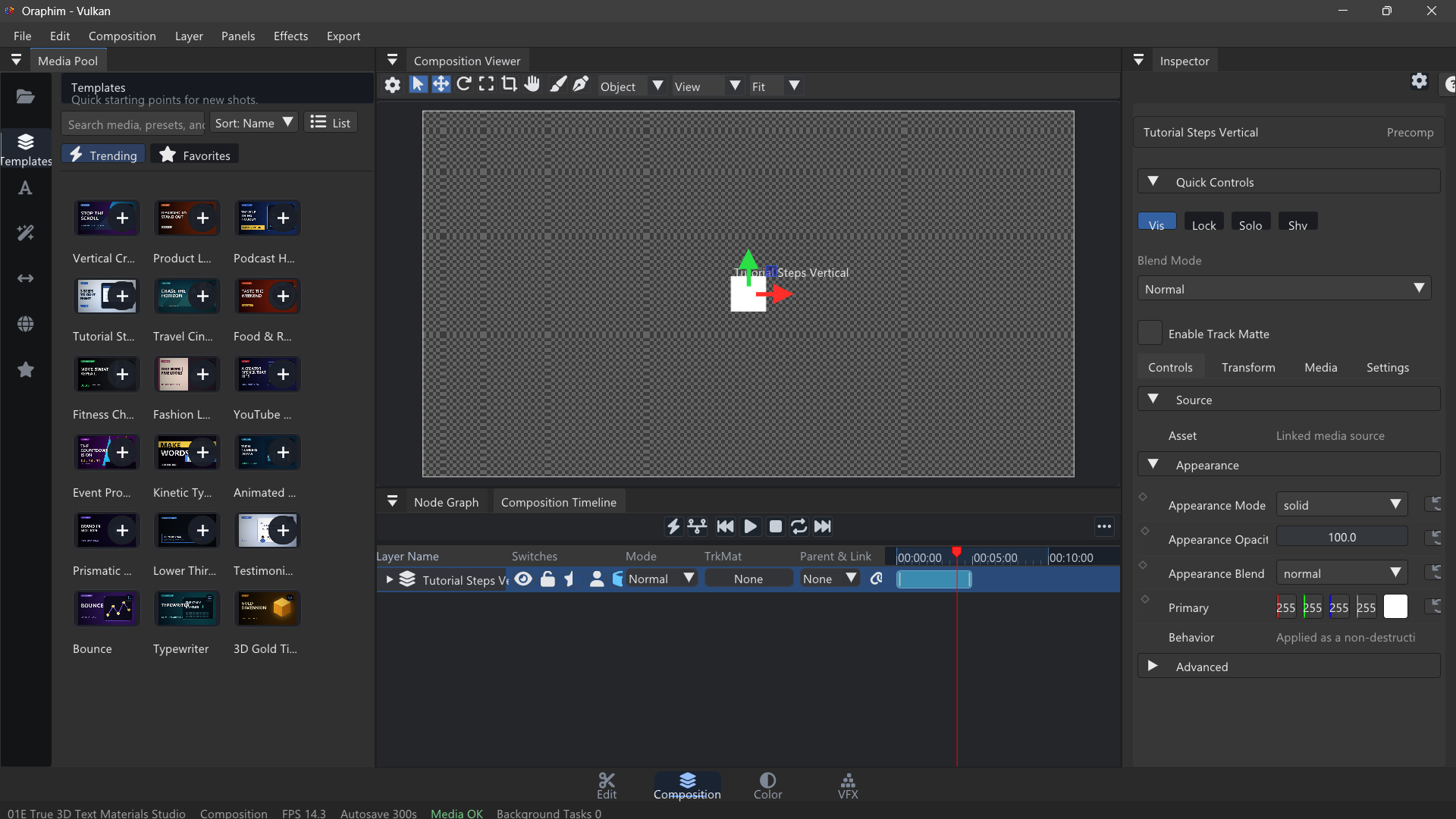
The viewer, layer stack, timeline, and Inspector work together; keep all four in view while learning compositing.
Composition structure
A composition has its own dimensions, frame rate, duration, layers, and timeline. Solids, text, shapes, media, cameras, lights, and nested compositions can be combined in one stack.
Viewer and timeline
The Composition Viewer is the direct manipulation surface. The layer timeline controls timing, ordering, visibility, locking, parenting, blend behavior, and animation.
Reuse in Edit
A composition appears in the Media Pool and can be placed on an Edit timeline as a composition clip. Changes to the source composition are reflected when the clip is rendered.
Export
Compositions can be exported directly or as part of an Edit sequence. The same renderer is used for preview and delivery paths.
How to use this section
Start in Composition workspace with layer, mask, matte, effect, or composition graph item. Use this section to understand the Compositing workflow before jumping into isolated controls.
Read the overview first, then move into the specific task page that matches what you are trying to produce or fix. Oraphim panels are context-sensitive, so keep the intended clip, layer, node, track, or project resource selected while following a procedure.
Guides in this section
- Adjustment Layers
- Effects
- Layers
- Masks and Magic Mask
- Mattes
- Merge
- The Node Graph
- Precomps
- Render Model Concepts
Section-level verification
Scrub the shot, inspect edges and timing, then render a short review range. For project-changing operations, save a milestone and reopen it before relying on the setup as a reusable production workflow. For anything that affects delivered pixels or audio, inspect a rendered file as well as the interactive viewer.