
Step-by-step projects
Intermediate
Use intermediate in Oraphim with a production-safe workflow, practical example, verification steps, and common failure checks.
Updated August 28, 2026Intermediate
Goal
Complete a small intermediate project using the current Oraphim interface and finish with a file you can inspect.
Build it
- Create or open a project with the intended frame size, frame rate, and color space.
- Import only the media needed for the exercise.
- Build the main timing in Edit before adding detailed graphics or effects.
- Use Composition, Color, VFX, or audio controls only where the result requires them.
- Save a milestone before the final polish pass.
- Export a short review, correct visible or audible issues, then render the final range.
Verification
Check the opening, ending, transitions, text, audio, color, dimensions, duration, and output filename. The tutorial is complete only when the rendered result matches the intended outcome.
Project method
Combine editorial timing with one reusable composition, basic color correction, controlled audio, and a deliberate delivery setup.
- Define the intended duration, aspect ratio, frame rate, and final delivery before detailed styling.
- Import and organize only the media needed for this exercise, then build the main timing in Edit.
- Add Composition, Color, VFX/3D, audio, or AI operations only when the result requires them. Keep each stage editable until the timing is approved.
- Save a named milestone before the heaviest creative/technical pass.
- Export a short review, watch it outside Oraphim from beginning to end, fix visible/audible issues, then create the final range.
Project QC
Check the opening and ending frames, editorial rhythm, text spelling and safe areas, color consistency, audio transitions/levels, effect edges, first/last-frame behavior, dimensions, duration, and filename. If the project contains 3D, tracking, masks, AI processing, simulations, or a complex graph, save/reopen before final export to prove the authored state survives persistence.
Continue learning
Example project and visual checkpoint
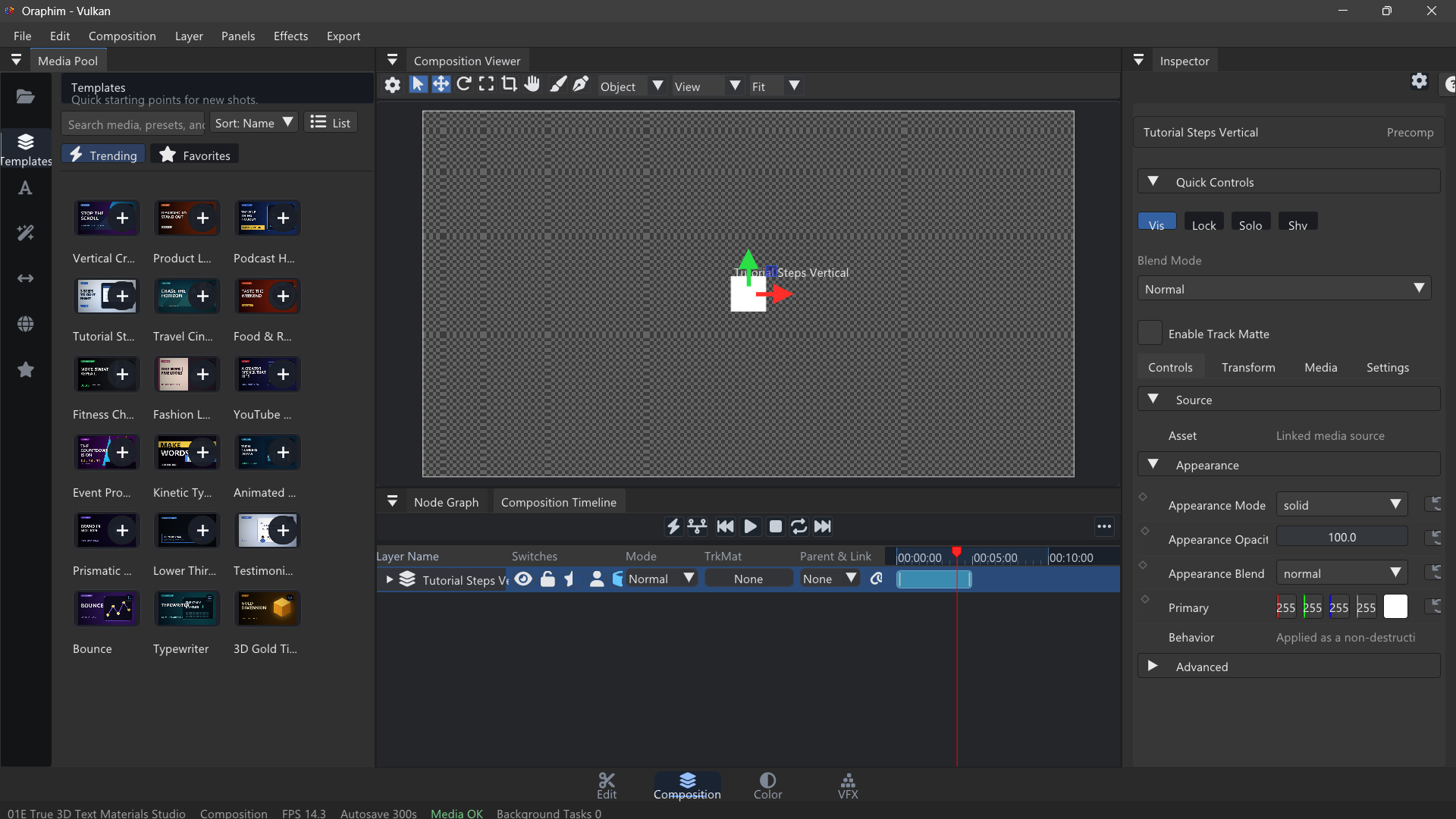
Build a short branded insert that combines a timeline edit with one reusable composition. For example, create an 8-second title card with animated text and a shape accent, place it over a 20-second edit, make one color adjustment, and confirm the composition remains editable when you return from Edit.
Quality check: play or preview the finished section at normal speed, inspect one representative frame at useful zoom, and confirm that the result still works after reopening the project. If the tutorial ends in delivery, export a short test before committing to the final render.