
Project management
Proxy media
Generate, enable, invalidate, regenerate, and remove Oraphim proxies while keeping original camera media authoritative for final export.
Updated August 28, 2026Proxy media
Proxy media makes heavy footage easier to scrub and preview without replacing the original source. Oraphim treats proxies as disposable playback caches: the original file remains authoritative for relinking, tracking, AI analysis, inspection, and final export.
Visual reference
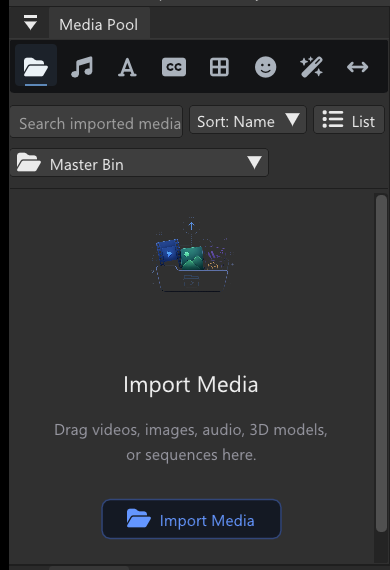
Generate and manage proxies from project media while keeping the originals authoritative for inspection, AI/tracking work, relink, and final export.
Profiles
| Profile | Maximum frame size | Video | Audio |
|---|---|---|---|
| Performance | 960×540 | ProRes Proxy, 10-bit 4:2:2 | PCM 16-bit, 48 kHz |
| Balanced | 1280×720 | ProRes Proxy, 10-bit 4:2:2 | PCM 16-bit, 48 kHz |
| High Quality | 1920×1080 | ProRes Proxy, 10-bit 4:2:2 | PCM 16-bit, 48 kHz |
Aspect ratio is preserved and encoder-safe even dimensions are used.
Generate a proxy
In the Media Pool, open the actions for a video item and choose Generate Proxy or Regenerate Proxy. Generation runs in a reduced-priority background FFmpeg process. Oraphim writes a temporary .partial.mov, validates it with its own decoder, and only then renames it into the ready state.
Cards report generating percentage, ready, disabled, stale, or failure state. You can cancel a running job, disable proxy playback, or delete a proxy without deleting the original media.
When a proxy becomes stale
Oraphim records the original file size and last-write timestamp. If the source changes, moves, is relinked, or no longer matches that identity, the proxy is invalidated automatically and playback falls back to the original until a new proxy is generated.
Storage and failure logs
Successful proxies live under Oraphim's cache directory in a project-specific proxies folder. Failed jobs keep a .proxy.log for diagnosis; successful jobs remove temporary progress/log files.
Production rule
Use proxies to improve interaction, never to lower final quality. Final export always decodes the original media. Before delivery, confirm originals are online and relinked correctly, then render and inspect the exported file.