
Workspaces
VFX workspace
Build procedural scenes, 3D treatments, simulations, look development, and render-ready setups.
Updated August 28, 2026VFX workspace
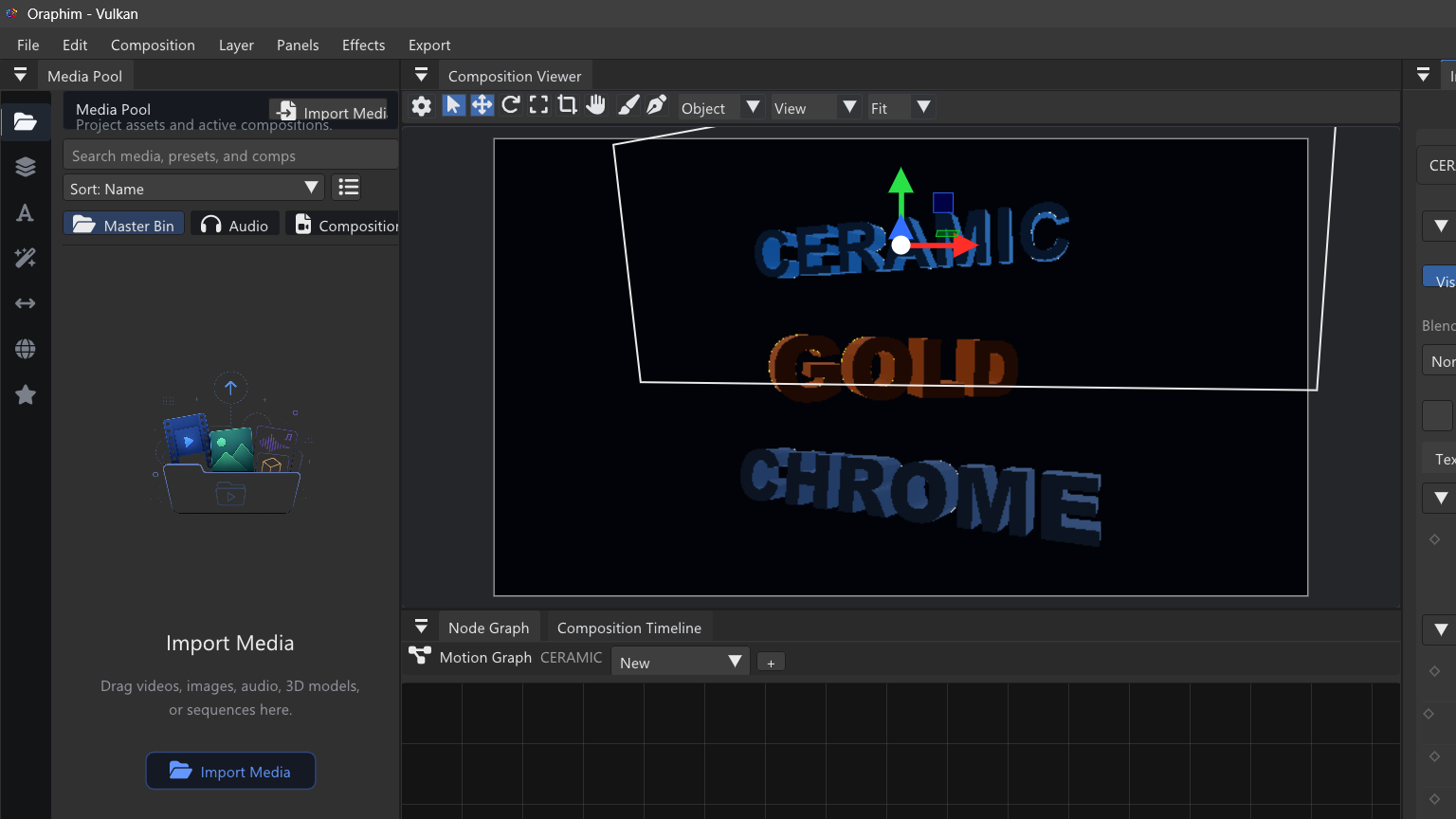
Main areas
- Assets / Stack: the creative objects and systems in the current VFX stage.
- 3D viewer: stage navigation, object selection, gizmos, camera view, and visual feedback.
- Node Graph: procedural relationships and processing.
- Inspector: object, simulation, look, render, format, and quality controls for the current selection.
Build safely
- Start with one visible object or source.
- Name important objects before the stack becomes large.
- Add one operation at a time and confirm the viewer changes as intended.
- Set the final camera, frame size, frame rate, and range explicitly.
- Test a short low-cost render before increasing raymarch steps, shadow steps, simulation substeps, or cache size.
- Render the final range and inspect the output rather than certifying the setup from the viewport alone.
The VFX workspace exposes powerful procedural foundations, but an effect should only be treated as production-ready after its simulation, cache, serialization, playback, and render have been tested for that shot.
A safe first VFX exercise
Start with one short shot and one effect system. Import or create the source, build the minimum graph needed to produce the treatment, preview a few representative frames, and only then add complexity. For 3D work, verify camera, light, material, and object transforms before adding simulation. For volumes, test a short range at reduced cost before a full render. This order makes it much easier to tell whether a problem comes from scene setup, simulation, or rendering.